 OctoTray
Your GitHub,
a glance away.
OctoTray lives in your system tray and shows the pull requests waiting on you, your issues, unread notifications and repositories, without opening a browser tab.
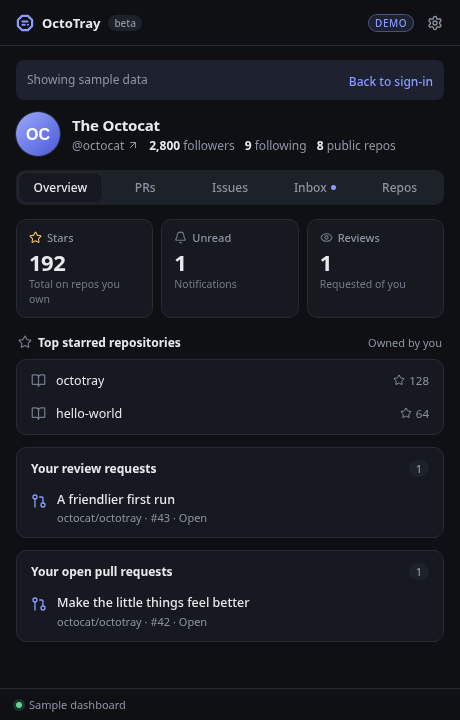
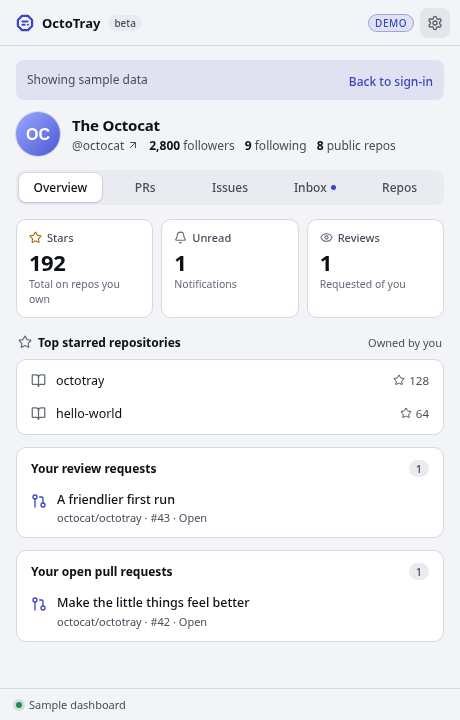
Everything that needs you, one click away
Reviews and pull requests
See review requests and your open pull requests the moment you click the tray icon.
Notifications and issues
Unread notifications plus the issues you opened or are assigned, with optional desktop alerts for mentions and review requests.
Private by design
Sign in with GitHub. Your token stays in your OS keychain. There is no OctoTray server and no analytics.
Downloads
| Loading the latest release… |
All versions and release notes are on GitHub Releases.
Installing
Installing on macOS
Choose Apple silicon if the Apple menu →
About This Mac shows an Apple M-series chip, or
Intel if it shows an Intel processor. Open the
.dmg and drag OctoTray into
Applications. OctoTray appears as an icon in the
menu bar.
macOS says OctoTray “can’t be opened”
Early builds are not yet notarized by Apple, so macOS blocks the first launch. Choose Done, not Move to Trash. Then open System Settings → Privacy & Security, scroll to Security, choose Open Anyway and confirm. On macOS 14 or earlier you can instead right-click OctoTray in Applications and choose Open. You only need to do this once.
macOS says OctoTray “is damaged”
The app is not damaged. macOS shows this for some downloaded apps
that are not yet signed. Open Terminal, run
xattr -cr /Applications/OctoTray.app, then open
OctoTray again.
macOS asks to use the “login” keychain
OctoTray stores your GitHub sign-in in the macOS keychain. Choose Always Allow.
Windows shows “Windows protected your PC”
Early builds are not yet code-signed. Select More info, then Run anyway.
Linux: which file do I need?
Use the .deb on Debian and Ubuntu, the
.rpm on Fedora and openSUSE, or the
.AppImage anywhere else. Make the AppImage executable
with chmod +x. The tray icon needs a desktop with a
system tray, such as KDE Plasma. On GNOME, OctoTray opens as a
normal window.